
Club staff · 3 min read
Choose how families register for camps
Keep Oasys or another registration website, or manage registrations and payments in BumpSetBook.
Updated
1. Choose a registration destination
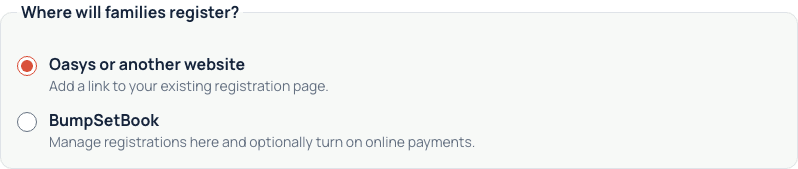
Open Camps & clinics in your club workspace and select Create program. You can also start a camp or clinic from the club calendar. Choose Oasys or another website to keep your current registration service, or BumpSetBook to manage the roster here.
This choice applies to the new program. Existing external registrations and account credits stay with their original service.
2. Keep Oasys or another website
Enter the listing name, first start and final end, schedule, audience and price. Add the registration link and optionally an official details link. Check Show on the club’s public camps & clinics page, then Save listing.
Families follow that link to register, pay and accept the provider’s terms. Manage these listings under External registration in Camps & clinics. Reserve needed courts separately on your calendar.
3. Register and take payments here
Choose BumpSetBook, then enter the program name, spots, price, sessions and courts. Review the cancellation policy and optional waiver.
Turn on Take online payments in BumpSetBook for checkout. Paid programs require your club’s connected Stripe account in Payments. Free programs do not need Stripe. With the switch off, enter instructions for collecting any payment separately.
Select Save draft & review. Check the details, then publish to open registration and reserve courts. BumpSetBook checks court and coach conflicts before publishing.
4. Reuse club policies and FAQs
Open Settings → Policies & FAQ. Add practical information and frequently asked questions for families. The public club page shows these under Information & FAQ.
Choose default registration settings and an external link. You can also save a default cancellation policy and waiver for new BumpSetBook programs. Each new program can override them; previously accepted terms stay unchanged.
Oasys family credits and withdrawal deductions do not transfer automatically. Have your club review native registration policies before switching services.